The app question: where Fishin' Frenzy actually lives on your phone
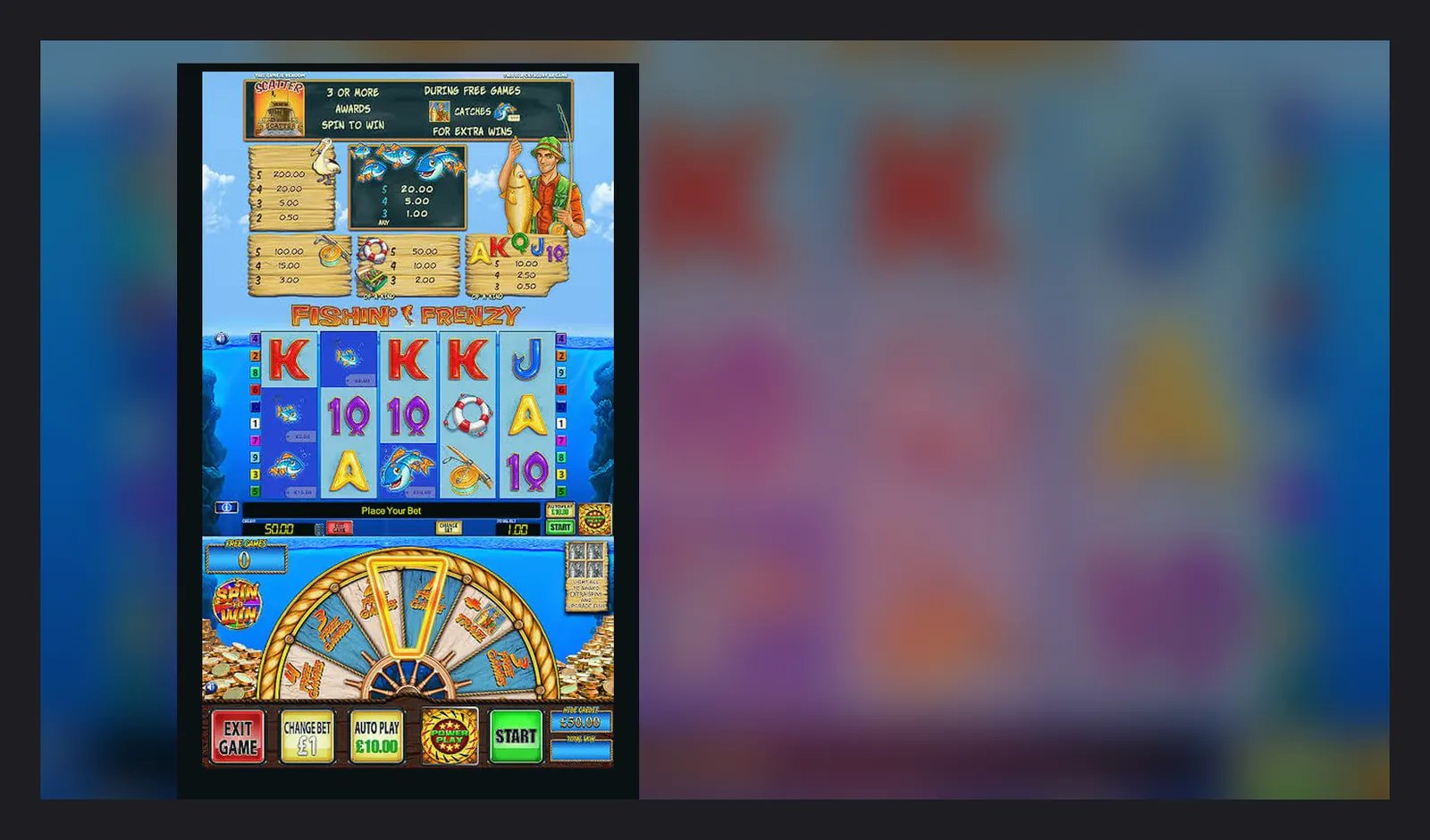
A mate asked me last week whether he should download the Fishin' Frenzy APK he'd found on some forum. Short answer: no. Long answer: the game doesn't exist as a standalone app you install from outside the official stores, and the file he'd found was almost certainly malware wrapped in fishing-rod graphics.
Here's what actually happens when you want Fishin' Frenzy on your phone in the UK, what the store cards look like, how to spot the fakes, and which install path makes sense for you.
What the store card tells you (and what it doesn't)
Fishin' Frenzy isn't a game you download by itself. It's part of a casino operator's library, so the app you install is the operator's app—something like Coral Casino, Ladbrokes, or Grosvenor—and Fishin' Frenzy sits inside it alongside hundreds of other slots.
If you search the App Store or Google Play for «Fishin' Frenzy», you'll mostly find the operators that carry it. Here's what a typical card looks like, using plausible numbers for a mid-sized UKGC-licensed casino app:
The «in-app purchases» line is where things get interesting. The App Store and Play Store both require that range to be declared, but it doesn't tell you about the UKGC stake caps—£5.00 per spin for most players, £2.00 if you're 18–24—or the affordability checks that kick in from £150 net deposits a month. Those rules live inside the app and in the operator's terms, not on the store card.
Five screens you'll actually see
Once you've opened the operator's app, here's the flow:
- **Lobby**: Grid of game tiles sorted by category—slots, table games, live casino, and sometimes a «Megaways» or «Fishin' » filter. Fishin' Frenzy and its sequels (The Big Catch, Prize Lines, etc.) sit here. Tap the tile to load the game.
- **Game load screen**: A progress bar while the HTML5 client downloads. On a decent 4G connection, that's 2–4 seconds; on patchy rural broadband, it can stretch to ten. The game runs in a web view, not natively, so every session re-fetches assets if you've cleared your cache.
- **Paytable and rules**: Accessible from the «i» icon in-game. Shows the fisherman wild, the scatter trigger for free spins, and the line pays in GBP. This is where you confirm the RTP setting—96.00%, 94.00%, or lower—because the operator picks which version to offer.
- **Bet selector**: Usually a coin icon that opens a slider or grid. The app enforces your stake cap automatically: if you're 18–24 and try to set £5.00, it locks you at £2.00 with a banner explaining why. No override.
- **Balance and transaction history**: Tap your username to see your casino wallet, pending withdrawals, and the last 30 days of bets. Withdrawals to a UK bank via Faster Payments typically clear same-day to two working days after KYC is done; e-wallets like PayPal are quicker, but the first payout always takes longer because the operator has to verify your documents.
That's the real experience. No separate Fishin' Frenzy UI, no bespoke app with a fishing theme—just the operator's casino shell and Blueprint's slot inside it.
Four ways to get it on your home screen
You've got options. Each has a trade-off, and one of them is outright dangerous.
- **Browser (no install)**: Open Safari or Chrome, navigate to the operator's site, log in, find Fishin' Frenzy in the lobby. This works immediately, but you're typing the URL every time. Good for a one-off session; annoying if you play regularly. Risk: negligible, provided the domain matches the UKGC register.
- **Add to home screen (web app)**: In Safari, tap Share → Add to Home Screen. In Chrome, tap the three dots → Add to Home Screen. You get an icon on your home screen that opens the operator's site in a borderless browser window, which feels like an app. No App Store approval required, so some smaller UKGC operators only offer this. Risk: low if the domain is legitimate; medium if you've mistyped the URL and landed on a phishing clone.
- **Official app from App Store or Google Play**: Search for the operator's name, download the app, log in. The app is a native wrapper around the same web view, but it handles logins more smoothly and sends you push notifications for bonuses. This is the cleanest path for the big brands. Risk: low, assuming you've checked the developer name matches the operator and the UKGC licence number is in the app's settings or footer.
- **APK sideload (Android only)**: Download an .apk file from a third-party site and install it manually. This is where the danger lives. The APK might be a repackaged clone that logs your credentials, injects ads, or installs spyware. Even if the file is clean today, there's no automatic update path, so you're stuck on an old version with unpatched security holes. Risk: high. Don't do this unless you personally know the source and have a specific reason to bypass the Play Store—and even then, ask yourself why the operator isn't distributing through official channels.
What your phone actually needs
Fishin' Frenzy is an HTML5 slot, so the heavy lifting happens server-side. Your phone just renders the animation and sends your taps back to the game server. That means the requirements are low:
- **Android**: 7.0 (Nougat) or later. That's any phone from 2016 onwards. 2 GB of RAM is enough; 3 GB or more is comfortable if you're running other apps in the background.
- **iOS**: 12.4 or later. That's iPhone 5s and up, which takes you back to 2013. Older iPads (Mini 2, Air 1) work fine for the game but may struggle with the operator's app wrapper.
- **Storage**: The operator's app itself is 40–80 MB, depending on how many features they've packed in (live casino, sports betting, etc.). The game assets are cached temporarily, adding another 10–20 MB, but that clears when you close the app or restart your phone.
- **Network**: 3G is playable but laggy; 4G is smooth; 5G makes no practical difference because the bottleneck is server response time, not bandwidth. Wi-Fi is ideal at home, but watch your data allowance if you're playing on the bus—an hour-long session can burn 50–80 MB.
If your phone can run WhatsApp and stream YouTube, it can run Fishin' Frenzy.
What changed in the latest version (and what didn't)
Operator apps get updated every few weeks, usually for backend fixes rather than anything you'll notice. A typical changelog might read:
- «Improved login flow for Touch ID and Face ID users»
- «Fixed a crash when rotating the screen during live casino sessions»
- «Updated responsible-gambling tools to comply with January 2026 affordability thresholds»
- «General performance and stability improvements»
Fishin' Frenzy itself—the slot—doesn't update through the app. Blueprint Gaming pushes changes server-side, so if they tweak the animation timing or add a new RTP variant, it appears in your next session without you downloading anything. The game version you're playing is shown in the paytable screen, usually as a build date (e.g., «v2.8.3 – October 2025»).
What won't change: the maths. RTP, volatility, hit frequency, and max win are baked into the certified version of the game. If an operator switches from the 96.00% RTP variant to the 94.00% one, that's a configuration choice on their end, not an update you install.
Spotting the clones and dodging the traps
Fake casino apps exist, and some of them specifically target players searching for popular slots like Fishin' Frenzy. Here's what to check before you hand over any details:
- **Developer name**: In the App Store or Play Store, tap the developer name and check their other apps. A legitimate operator will have one or two casino apps and maybe a sportsbook. If the developer has published 40 random utilities and suddenly a casino app, that's a red flag.
- **UKGC licence**: Open the app, scroll to the footer or settings, and look for the licence number. Then cross-check it in the UKGC public register. The name on the licence should match the company name in the app store listing. No licence number visible? Close the app and delete it.
- **Permissions**: A casino app needs internet access and, optionally, location services (to confirm you're in the UK) and notifications (for bonus alerts). It does **not** need access to your contacts, SMS, phone logs, or camera roll. If the app asks for those during install, refuse and uninstall immediately.
- **Reviews and rating**: Scroll through recent reviews. If half of them mention «won't let me withdraw» or «account locked after I deposited», that's either an unlicensed rogue or a UKGC operator with serious compliance issues. Either way, avoid.
- **Payment methods**: UKGC operators accept debit cards, PayPal, Apple Pay, Trustly, and paysafecard. They do **not** accept credit cards (banned since 2020) or cryptocurrency. If the app pushes Bitcoin deposits, it's operating outside UK law.
FAQ
Can I download Fishin' Frenzy as a standalone app?
No. Fishin' Frenzy is a slot game, not an app. It's part of a casino operator's library, so you download the operator's app (from the App Store or Google Play) and find Fishin' Frenzy inside it. There's no legitimate standalone version, and any APK claiming to be one is almost certainly a scam.
Do I need to download anything to play the demo version?
Not usually. Most UKGC operators let you try Fishin' Frenzy in demo mode through the browser or their app without installing anything extra. You will need to create an account and pass age verification (18+) before the demo unlocks, because UK rules require age checks before any gambling-like activity, even free play.
Why does the app say my maximum stake is £2.00 when I'm trying to bet £5.00?
If you're aged 18–24, UKGC rules cap your stake at £2.00 per spin on slots. The operator's app reads your date of birth from your account and enforces the limit automatically. Once you turn 25, the cap lifts to £5.00. There's no workaround; it's written into the remote licence conditions.
What happens if I download a fake Fishin' Frenzy app by mistake?
Delete it immediately, then change your password on any legitimate casino site where you've used the same credentials. If you entered payment details, contact your bank and ask them to monitor for fraudulent transactions. Report the app to the App Store or Google Play so they can remove it, and if you've lost money, file a report with Action Fraud. The fake app may have logged your details or installed malware, so run a security scan on your phone if possible.